
May 13, 2026 · 2 min read
How accountants can turn scattered PDFs into a client-ready packet
Assemble client-ready financial packets without switching tools. BrieflyGo's workflow uploads PDFs, scans for issues, and prepares exports, all in one session. Save time on manual review and merging.
Quick facts
Accountants and financial operations specialists assembling client documentation packets.
Upload source PDFs, scan for readiness issues, review the packet, and prepare the final export.
In the BrieflyGo application, within the dedicated Accountant Client Packet Review workflow.
When preparing monthly, quarterly, or annual client reviews requiring consolidated financial documents.
To eliminate tool-switching, reduce manual review time, and prevent errors in client deliverables.
By providing a unified workflow that surfaces data gaps and quality issues before export.
In this article ▾
Streamline Client Packet Assembly
For accountants, assembling a polished client packet from scattered statements, invoices, and supporting documents is a recurring bottleneck. It often involves juggling multiple tools for merging, cleaning up, and reviewing PDFs, which is inefficient and prone to oversight.
The Accountant Client Packet Review workflow in BrieflyGo consolidates this entire process. It provides a single path from uploading source files to preparing a final, reviewed packet for export, ensuring nothing slips through the cracks.
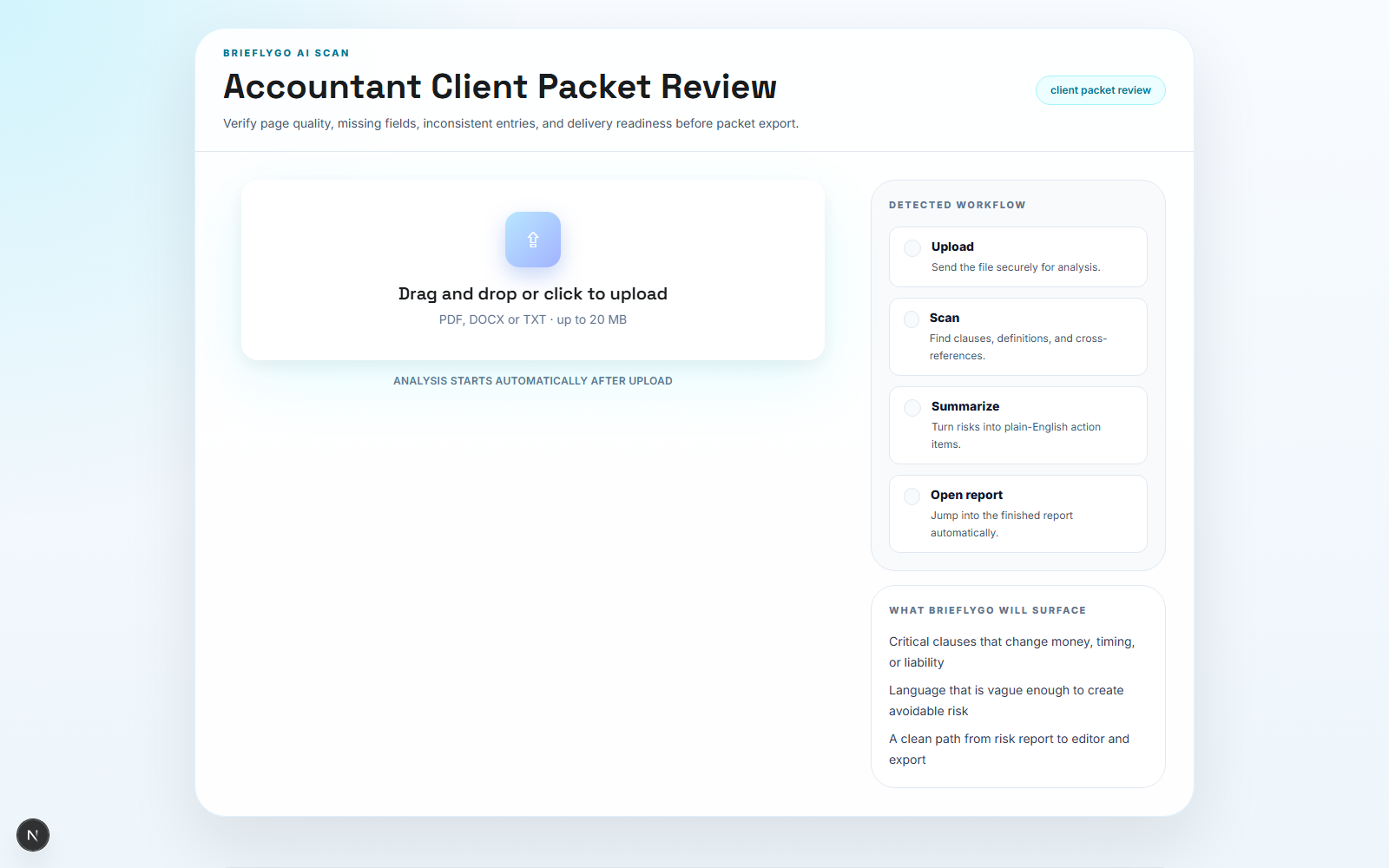
Step 1: Upload Your Documents
Begin by uploading all your source PDFs into BrieflyGo. This includes bank statements, invoices, receipts, and any other supporting documents required for the client packet.
The system accepts multiple files at once, immediately bringing your scattered materials into one organized session. This foundational step sets the stage for a unified review process.
Step 2: Automated Document Scanning
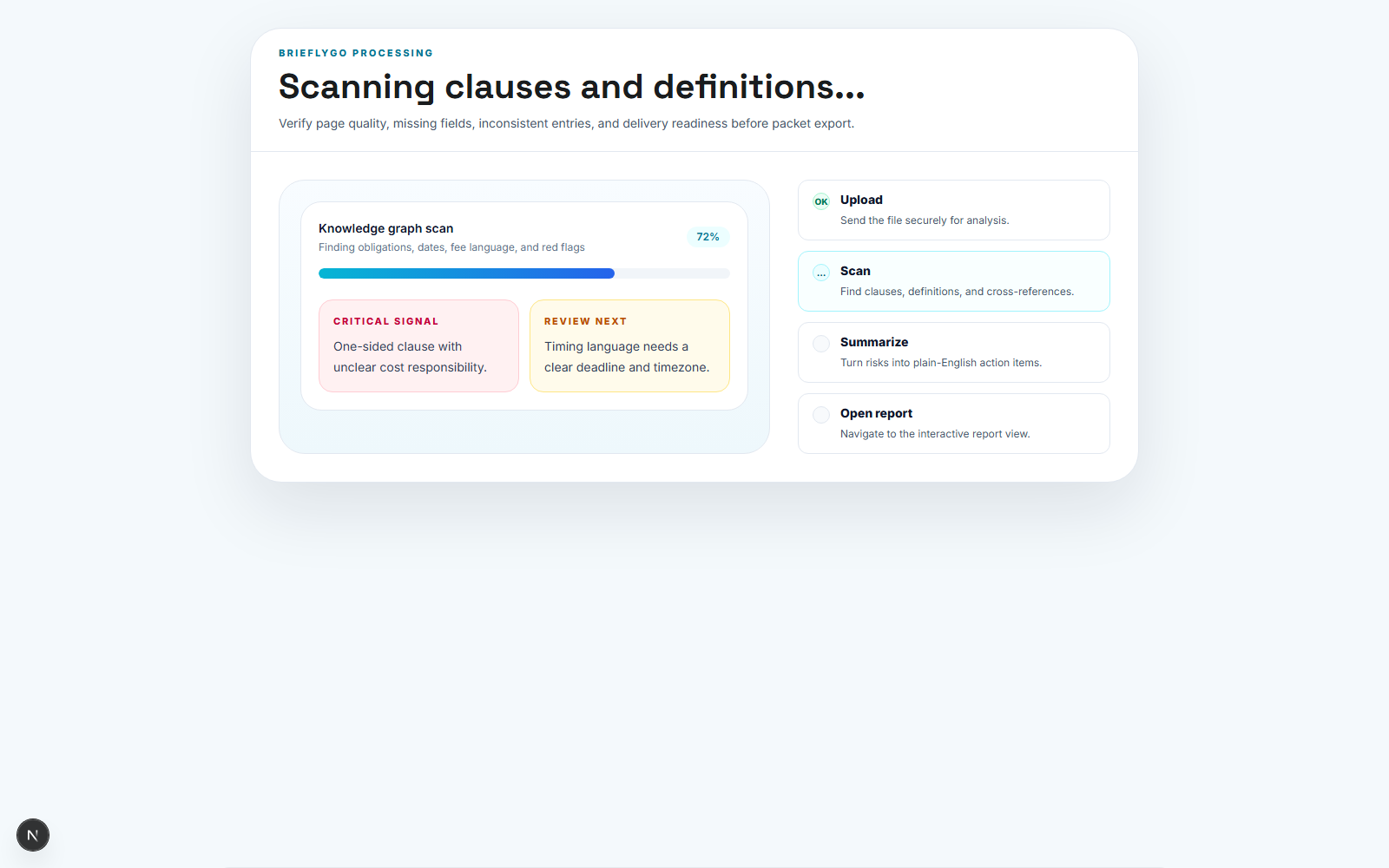
Once uploaded, BrieflyGo automatically scans the assembled packet. It surfaces potential readiness issues, such as missing critical fields, inconsistent data points, or quality problems like poor scans.
This early scan identifies gaps that could delay delivery or require client follow-up. It transforms a manual, visual check into a systematic quality control step.
Step 3: Review and Verify
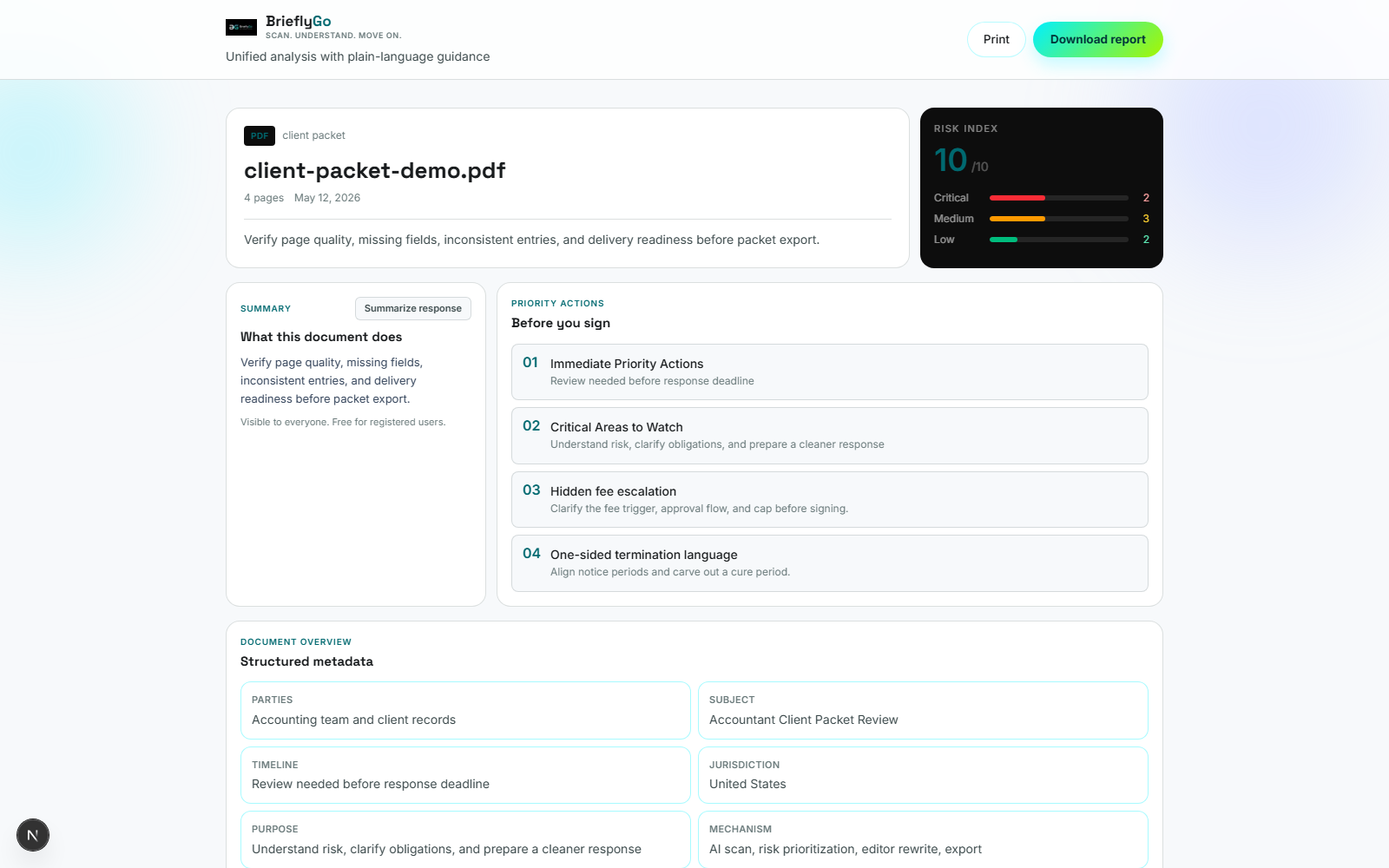
With issues highlighted, you can review the entire packet cohesively. The interface shows what has been flagged, allowing you to verify corrections and confirm the packet's completeness before it moves forward.
This review phase ensures every document meets your firm's standards. You gain confidence that the packet is accurate and client-ready before initiating the final export.
Step 4: Finalize in Workbench
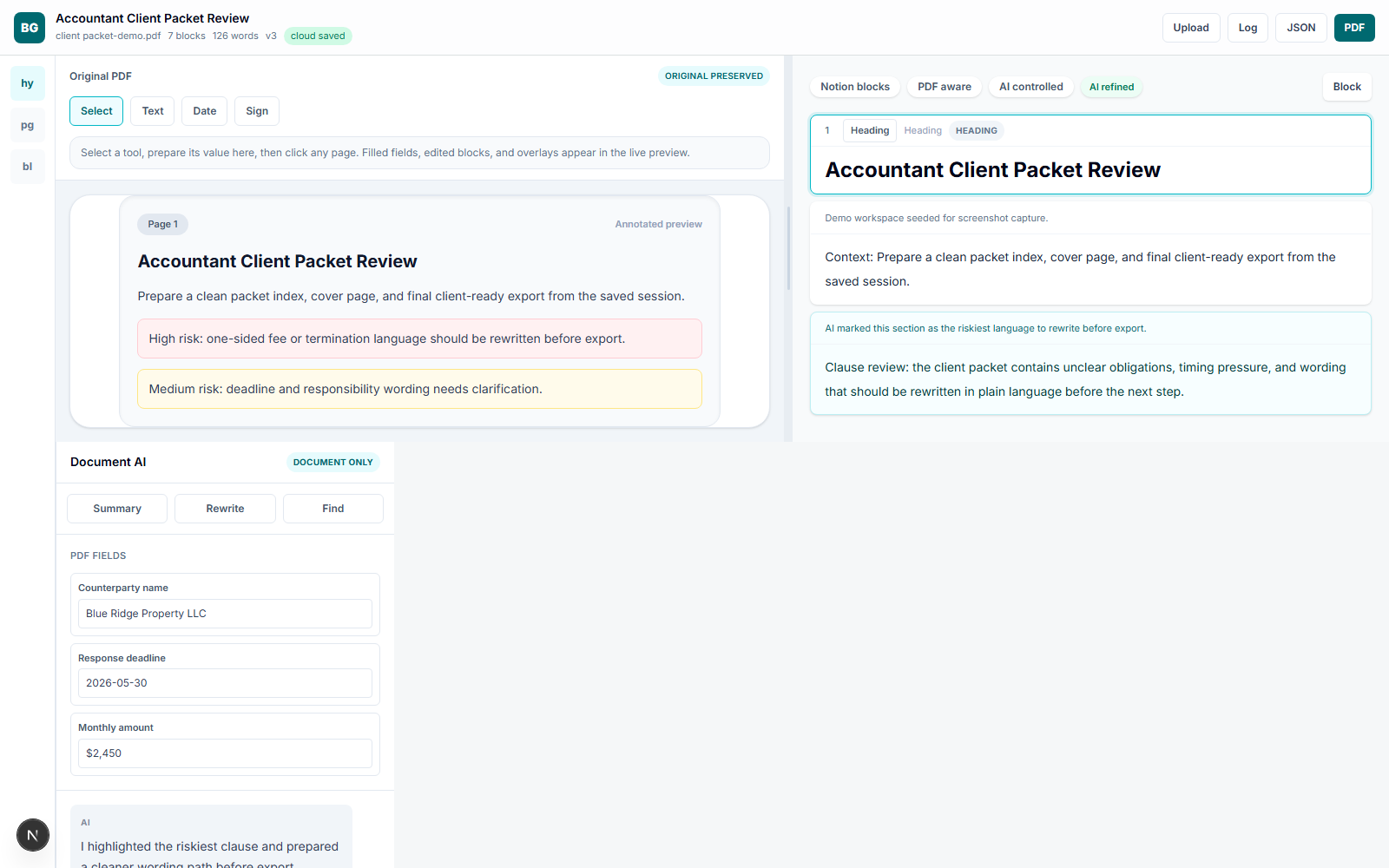
Final preparation happens in the Workbench. Using the saved session from the previous steps, you can finalize the packet's structure, sequence documents, and prepare for delivery.
The Workbench provides the tools to generate a clean, professional PDF package or other export formats. This step completes the workflow, turning reviewed content into a deliverable client packet.
Benefits of the Integrated Workflow
- Turn multiple source files into one guided packet workflow
- Catch quality and readiness gaps before delivery
- Prepare a cleaner export path from a saved Workbench session
This workflow addresses the core operational challenge of packet assembly for accounting professionals. By integrating upload, scan, review, and export prep, it eliminates the inefficiency of context-switching between disparate tools.
BrieflyGo turns a fragmented, error-prone task into a streamlined, reliable process. Accountants can deliver polished client packets faster, with greater consistency and less manual effort.
Share this article
Summarize with AI(opens AI chat with article URL · Gemini: prompt copied to clipboard)
BrieflyGo AI
Don't sign before you know what you're signing.
Upload any contract — NDA, SOW, lease, or employment agreement — and get an instant AI risk report with clause-by-clause explanations.
Explore FormGuardian
Contract Types to Review
Tax Return (e.g. 1040)
Errors on your tax return can cost you thousands — or trigger an audit.
Learn more →
Check a Client Brief Before You Start Work
Upload a Client Brief to spot risky clauses, payment traps, ownership issues, and negotiation pressure points before you sign.
Learn more →
Analyze Client Approval Terms Before They Delay Payment
Upload a Client Approval Terms to spot risky clauses, payment traps, ownership issues, and negotiation pressure points before you sign.
Learn more →
Contract Risk Library
Common Clause Risks
Free for your first contract
Spot the risk before you sign.
BrieflyGo flags hidden liabilities, unfair clauses, and missing protections in seconds.