
May 13, 2026 · 3 min read
How founders can review vendor agreements and NDAs before approval
Founders can now review vendor agreements and NDAs before approval. Upload any agreement to surface liability caps, auto-renewal traps, and data rights issues. Get a founder-facing review and prepare negotiation follow-up.
Quick facts
Startup founders and operators who need to review vendor contracts.
To identify liability caps, auto-renewal clauses, data rights, and ownership issues before internal approval.
Within the BrieflyGo platform, using the Startup Vendor Agreement Review workflow.
When a vendor sends an agreement or NDA that requires team sign-off.
By uploading the document, reviewing a founder-focused analysis, and preparing negotiation points in the Workbench.
To avoid costly long-term traps and approve agreements with a clear understanding of business risk.
In this article ▾
Review Vendor Agreements Before Approval
As a founder, you're often the first and last line of defense before a vendor agreement gets signed. The pressure to move fast can mean missing critical details buried in the fine print—details that create long-term liability or lock you into unfavorable terms.
The Startup Vendor Agreement Review workflow is built for this moment. It provides a structured path to identify the riskiest clauses before you give internal approval, turning a complex legal document into a clear, actionable review.
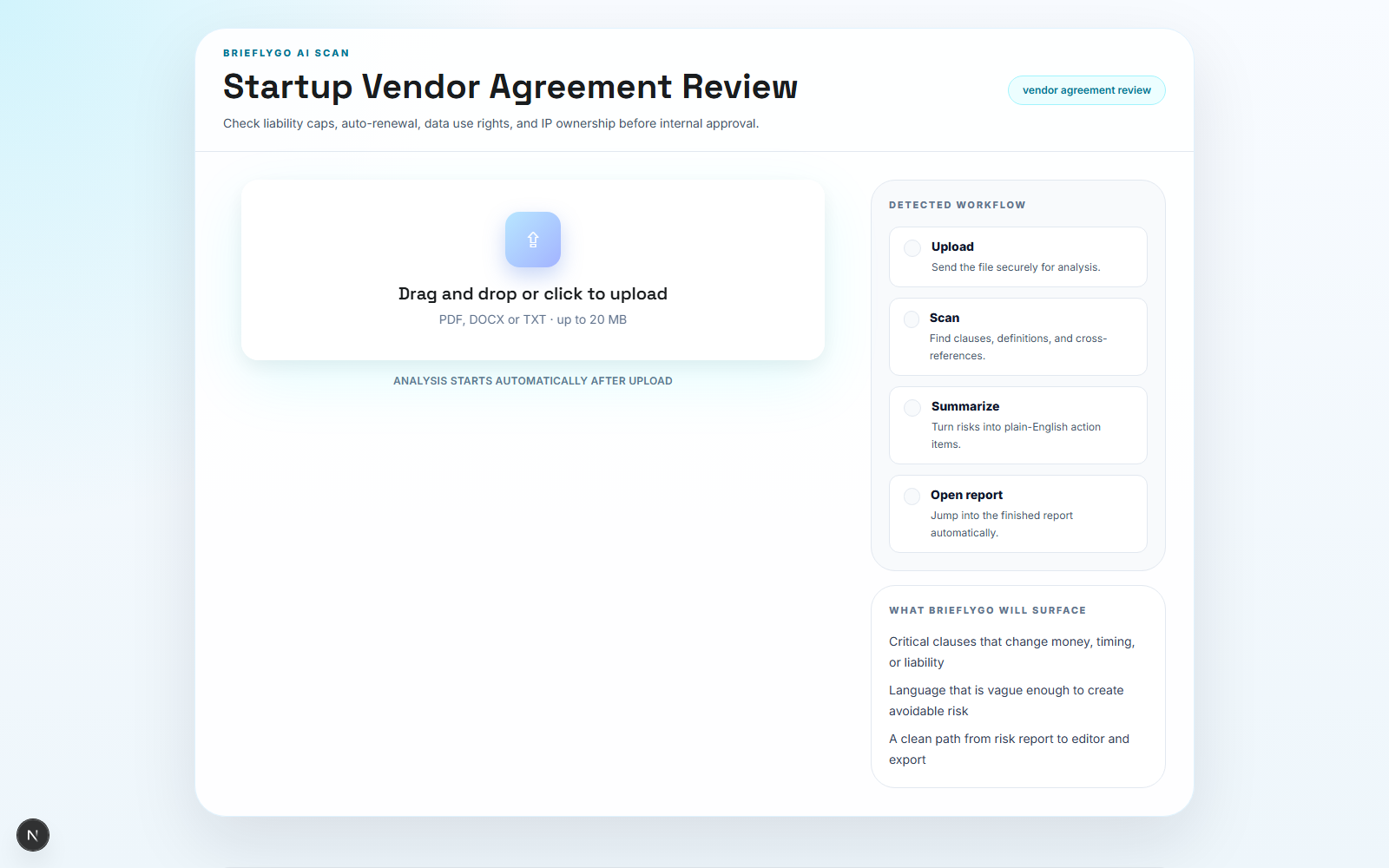
Step 1: Upload the Document
Begin by uploading the exact vendor agreement or NDA your team is about to approve. There's no need to pre-format or highlight sections; the system accepts the document as-is, whether it's a SaaS agreement, service contract, or mutual NDA.
This first step captures the source material in its original state, ensuring your review is based on the actual text the vendor has presented. It's the starting point for moving from a blind signature to an informed decision.
Step 2: Scan for Key Risks
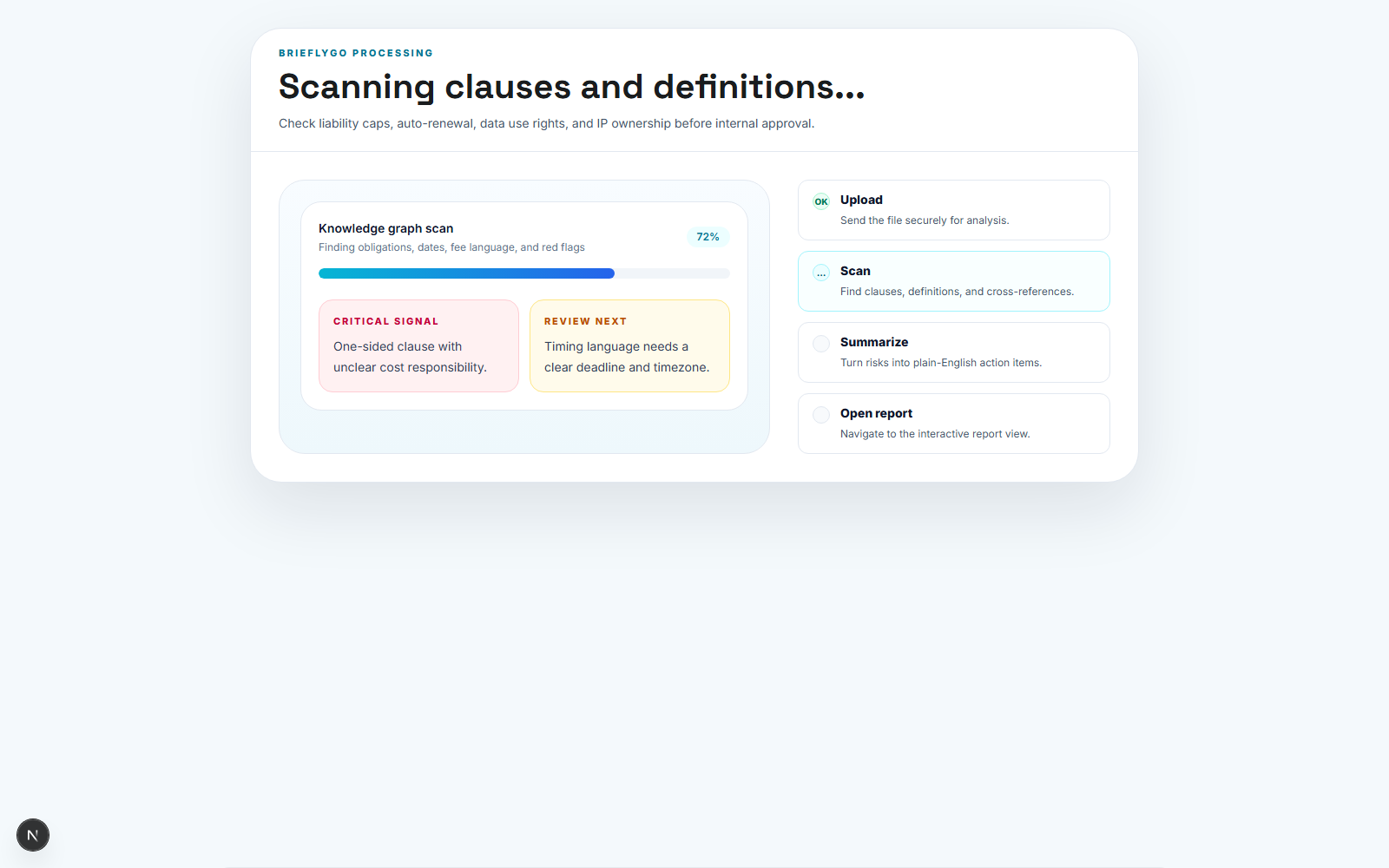
Once uploaded, the agreement is scanned to identify key pressure points for founders. The analysis focuses specifically on clauses related to automatic renewal, liability caps and exclusions, data usage rights, and intellectual property ownership.
This automated scan prepares a founder-facing review, distilling complex legal language into the core business risks. It's designed to surface what matters most before any legal handoff, saving time and focusing attention.
Step 3: Review the Report
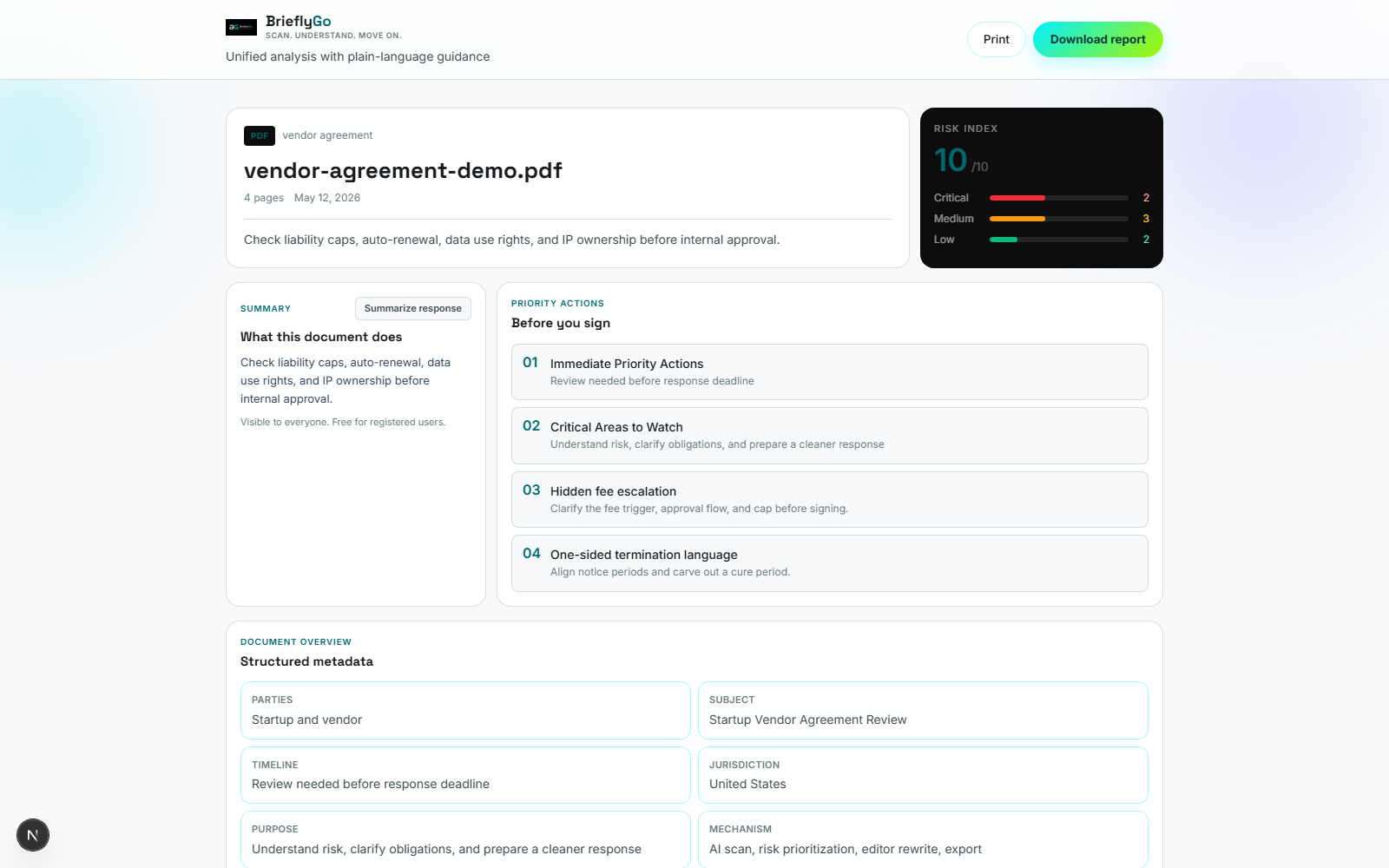
The resulting report presents the riskiest clauses clearly, allowing you and your team to focus the discussion. You can quickly understand the implications of an auto-renewal clause, a low liability cap, or broad data licensing rights.
This review step transforms a dense document into a prioritized checklist. It enables a confident, focused internal conversation about what must be negotiated versus what can be accepted as-is.
Step 4: Prepare for Negotiation
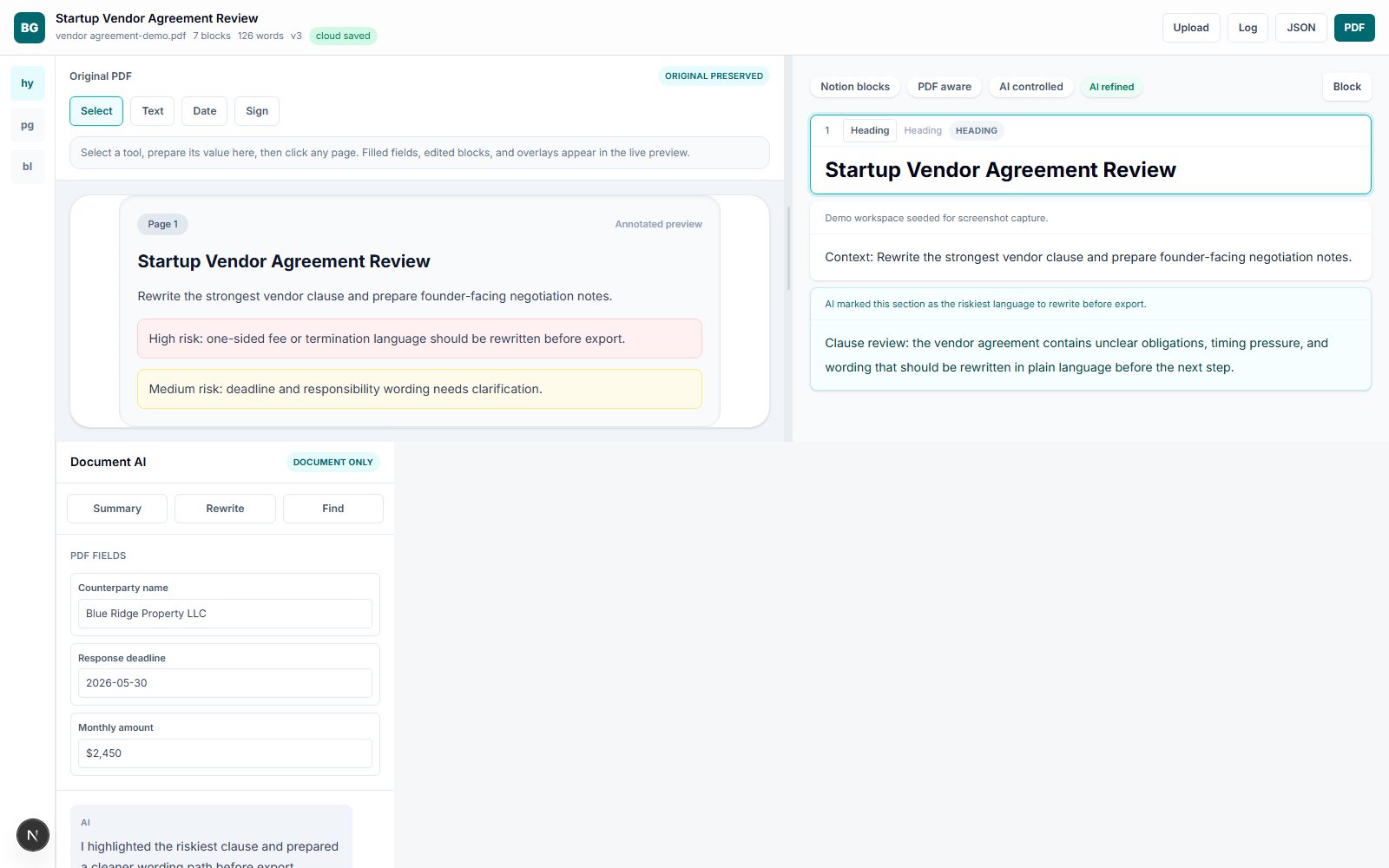
With the risks identified, the workflow moves to preparation. Using the Workbench editor, you can directly rewrite problematic clauses or add internal comments and discussion points for negotiation.
This step creates a clear follow-up plan. You can generate revised language for the vendor, outline your negotiation stance, and document internal rationale—all within the same environment, creating a single source of truth before final approval.
Benefits of the Workflow
- See the clauses most likely to create legal or operational risk
- Generate clearer internal follow-up before the next vendor conversation
- Keep the review and rewrite path in one saved Workbench flow
This workflow addresses the core founder need for speed and control in vendor negotiations. It inserts a crucial layer of insight between receiving a contract and giving approval, ensuring business risks are understood and managed.
BrieflyGo structures this process to be fast and practical. From upload to review to negotiation prep, it provides the clarity founders need to approve agreements with confidence, not just hope.
Share this article
Summarize with AI(opens AI chat with article URL · Gemini: prompt copied to clipboard)
BrieflyGo AI
Don't sign before you know what you're signing.
Upload any contract — NDA, SOW, lease, or employment agreement — and get an instant AI risk report with clause-by-clause explanations.
Explore FormGuardian
Contract Types to Review
Review a Graphic Design Contract Before You Sign
Upload a Graphic Design Contract to spot risky clauses, payment traps, ownership issues, and negotiation pressure points before you sign.
Learn more →
Review an SEO Service Agreement Before Signing
Upload a SEO Service Agreement to spot risky clauses, payment traps, ownership issues, and negotiation pressure points before you sign.
Learn more →
Review a Photography Contract Before a Paid Shoot
Upload a Photography Contract to spot risky clauses, payment traps, ownership issues, and negotiation pressure points before you sign.
Learn more →
Contract Risk Library
Common Clause Risks
Free for your first contract
Spot the risk before you sign.
BrieflyGo flags hidden liabilities, unfair clauses, and missing protections in seconds.