May 14, 2026 · 2 min read
How to review a freelance contract before you sign
Review freelance contracts faster without losing the original. Upload your PDF, scan for key risks, review the report, and rewrite clauses in Workbench. Export a clean, safer version for signature.
Quick facts
Freelancers and consultants reviewing client contracts before signature.
To systematically identify and address risks in payment, IP, revisions, and termination clauses.
Inside the BrieflyGo platform, from document upload through analysis and editing.
When you receive a contract, SOW, retainer, or NDA that requires review and negotiation.
By uploading the original file, scanning for risk signals, reviewing a report, and rewriting clauses in the Workbench editor.
To sign safer agreements with clearer terms without altering or losing the original contract document.
In this article ▾
Signing a contract is a critical moment for any freelancer or consultant. The fine print on payment terms, intellectual property, and termination can define your project's success and risk.
With BrieflyGo, you can move systematically from your original contract to a reviewed and revised version. This workflow ensures you don't miss critical details and can negotiate from a position of clarity.
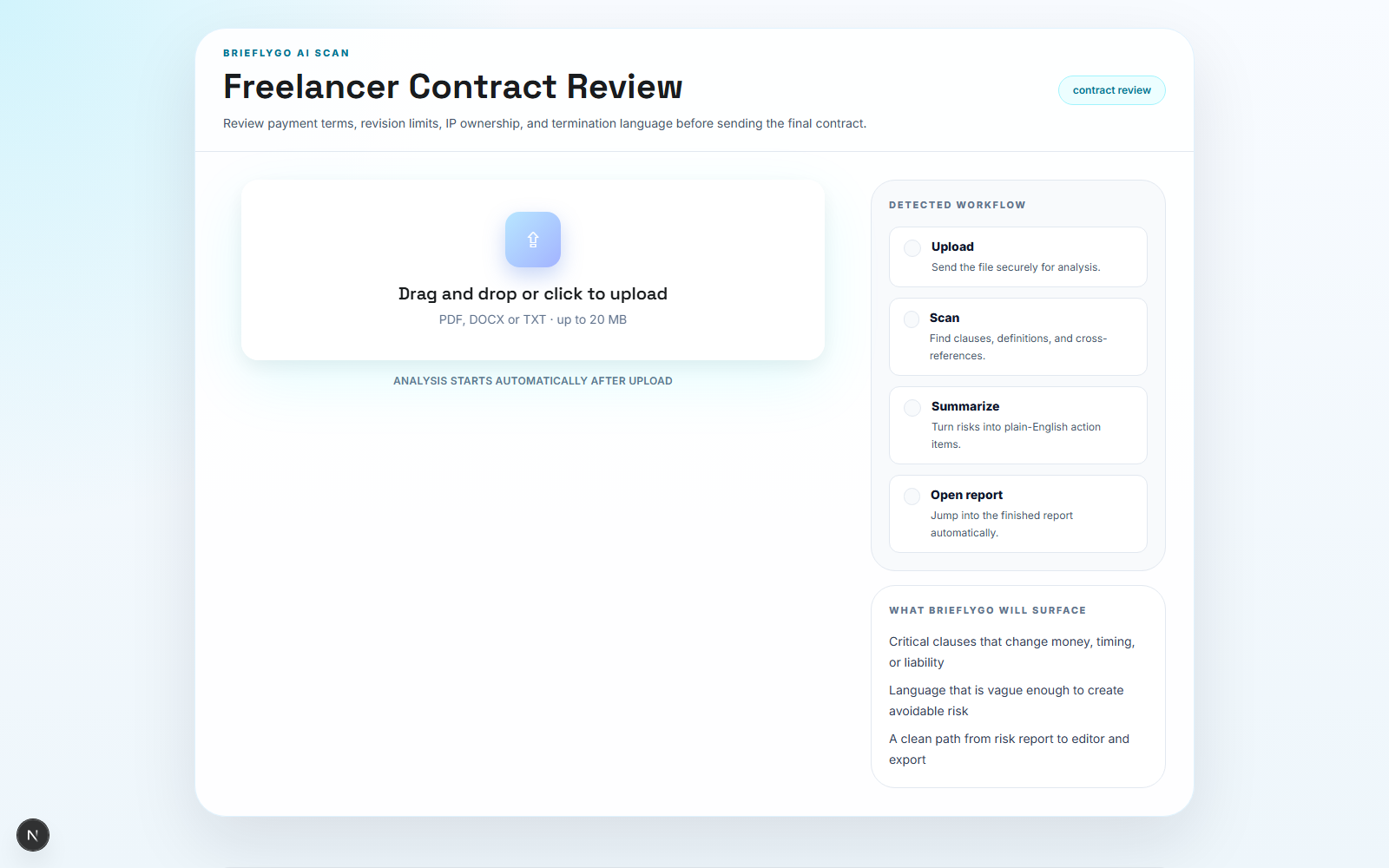
Step 1: Upload the document
Begin by uploading your original contract document. BrieflyGo accepts common formats like PDFs, Statements of Work (SOW), retainers, or NDAs directly into your workspace.
This step preserves your original file as the single source of truth. Your edits and analysis will happen in a separate layer, ensuring you always have the initial terms to reference.
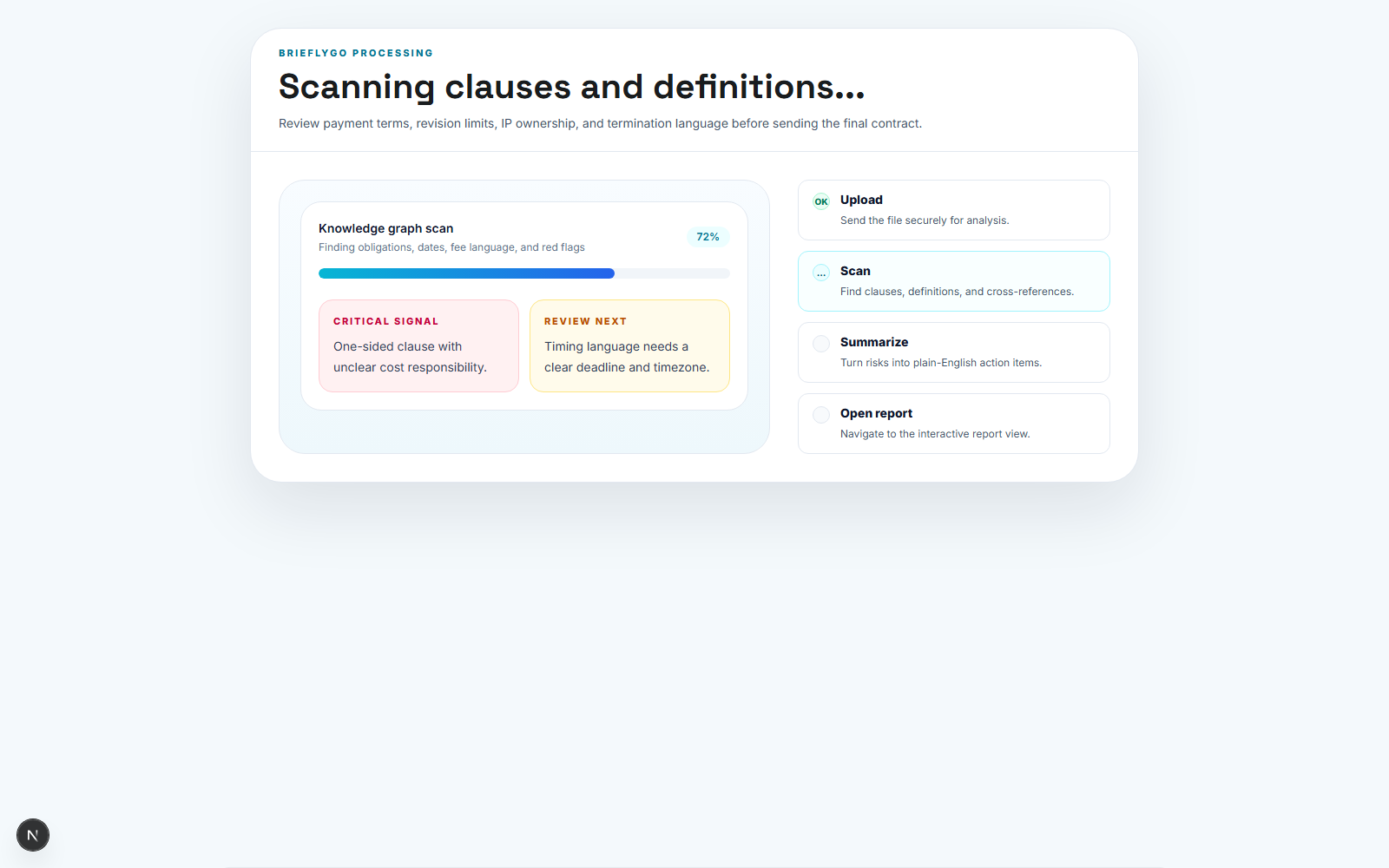
Step 2: Let BrieflyGo scan the document
Once uploaded, the system scans the document's structure and extracts key clauses. It automatically identifies common pressure points for negotiation relevant to freelancers.
The analysis focuses on core areas like payment schedules, revision limits, intellectual property ownership, and termination language, flagging potential risks for your review.
Step 3: Review the report before the next decision
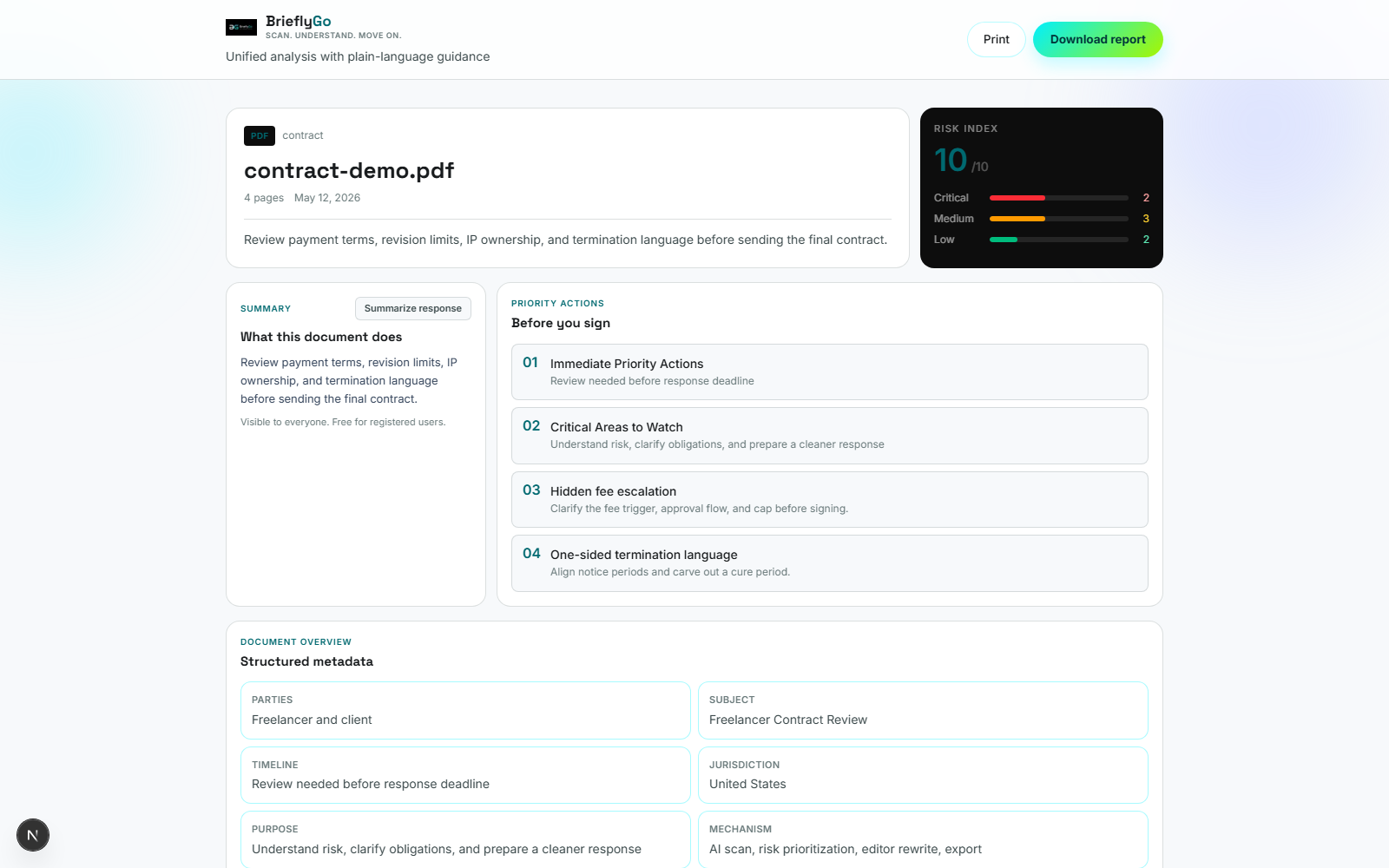
BrieflyGo generates a consolidated report from the scan. This gives you a clear, single-view summary of the issues found across the four key categories: payment, revisions, IP, and termination.
You can use this report to prioritize negotiation points and understand the contract's risk profile before discussing terms with your client.
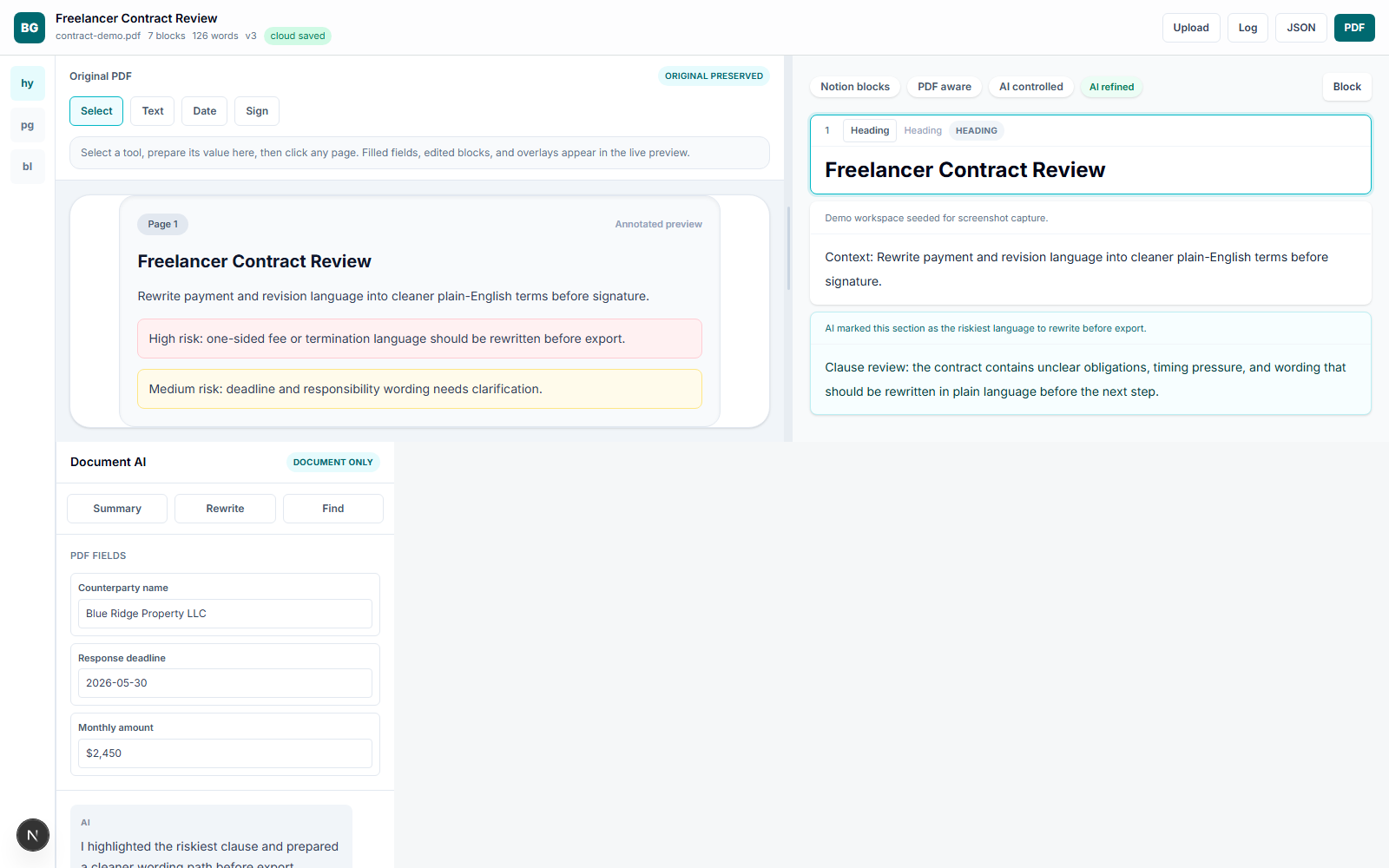
Step 4: Open Workbench and finish the job
For clauses that need adjustment, use the Workbench editor. This tool lets you rewrite and clarify the riskiest language directly within the platform.
You can propose clearer wording for ambiguous payment terms or more balanced IP ownership, then prepare a new version for export while your original file remains untouched.
What this workflow gives you
- Understand the money and ownership risk before signing
- Turn the riskiest clause into cleaner wording
- Leave with a saved Workbench session and a clearer final draft
This contract review workflow turns a stressful, manual process into a structured, efficient one. You move from an opaque document to a clear understanding and an actionable revised draft.
BrieflyGo helps you secure better terms by making risk visible and editable, all while maintaining the integrity of your original agreement from upload to final export.
Share this article
Summarize with AI(opens AI chat with article URL · Gemini: prompt copied to clipboard)
BrieflyGo AI
Don't sign before you know what you're signing.
Upload any contract — NDA, SOW, lease, or employment agreement — and get an instant AI risk report with clause-by-clause explanations.
Explore FormGuardian
Contract Types to Review
Review a Graphic Design Contract Before You Sign
Upload a Graphic Design Contract to spot risky clauses, payment traps, ownership issues, and negotiation pressure points before you sign.
Learn more →
How To Review A Freelance Contract Before Signing
Upload a Freelance Contract to spot risky clauses, payment traps, ownership issues, and negotiation pressure points before you sign.
Learn more →
Review a Photography Contract Before a Paid Shoot
Upload a Photography Contract to spot risky clauses, payment traps, ownership issues, and negotiation pressure points before you sign.
Learn more →
Contract Risk Library
Common Clause Risks
Free for your first contract
Spot the risk before you sign.
BrieflyGo flags hidden liabilities, unfair clauses, and missing protections in seconds.